

What Is Microsoft Cloud Services?
Regarding cloud-based solutions, Microsoft Cloud Services is among the most well-known options for companies today. Companies can use Microsoft’s many offerings, like Office 365 and Azure. With the help of these cloud-based resources, business owners can confidently store, manage, and assess their data in the cloud without worrying about updating or patching any underlying hardware or software.
To those unaware of these services, Microsoft offers tools that help companies launch rapidly. It encompasses a wide range of features, from safe file sharing to scalability possibilities to database storage capability and beyond. As a bonus, they employ cutting-edge encryption methods to shield your information from hackers while letting you access it whenever you like.
What Is Microsoft Cloud In Short?
In the “cloud,” remote systems are linked to a single digital environment. Cloud computing is a general term. Therefore “Microsoft cloud” is the company’s trademarked concept. Azure is Microsoft’s ecosystem, and the firm offers access to it for a cost to its users.
Moreover, there are two primary types of Microsoft cloud:
Public Cloud: All your programs and data are stored and managed on Microsoft’s servers. Microsoft takes care of the back end, and your company can rent computing power as it needs (i.e., utility computing). This kind of cloud uses the Microsoft Azure platform.
Thanks to public cloud computing, your company will have more flexibility than ever. It was so significant that it could be called revolutionary. Microsoft handles the back end, taking care of the system and providing processing power on demand, relieving stress for your business.
Private Cloud: If your company prefers a private cloud, it either has its data center on-site or uses physical servers housed in a colocation center. You fund the acquisition of hardware, software, and services required to host applications and maintain data in a custom-built environment.
Private cloud computing also gives these ecosystems more flexibility. RAM can be added without taking a server down; if a virtualized server goes down, the workload is distributed across the remaining servers.
3 Microsoft Clouds In Basics
1. Microsoft’s Azure
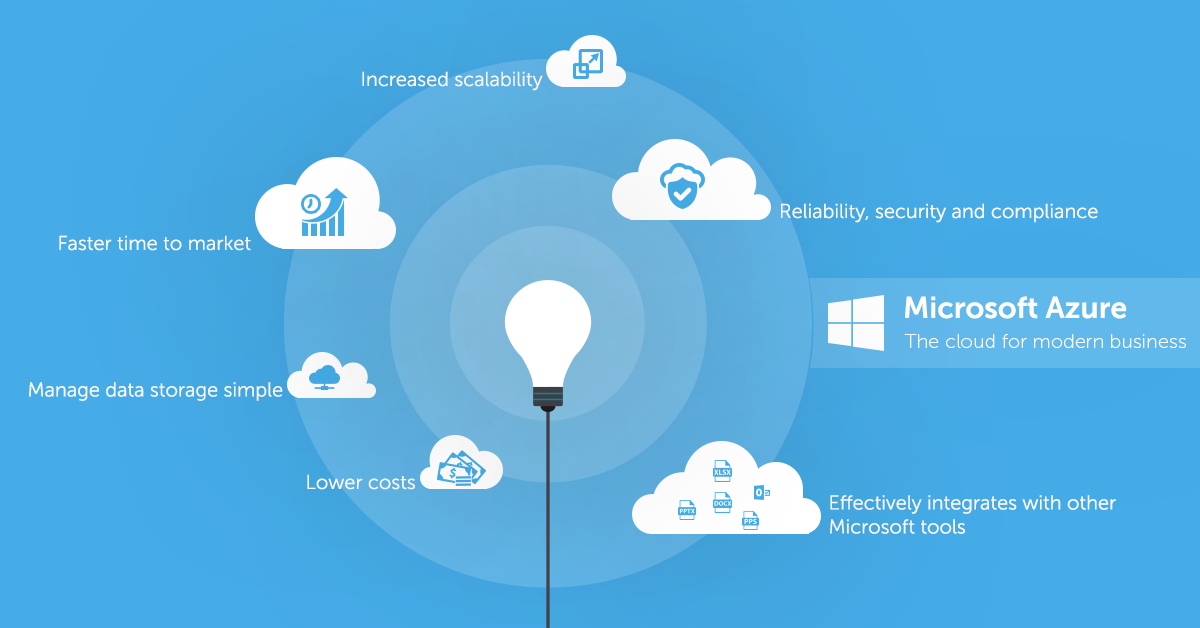
Microsoft Azure has become the leading cloud computing platform to assist its customer’s designing, deploying, and running applications in its data centers. Azure’s over 200 configured services in the cloud, on-premises and at the edge make it easy to transform ideas into products and solutions.
2. Dynamic 365
The next-generation intelligent business tools in Microsoft’s Dynamics 365 suite can help you manage customer relationships, streamline operations, make better business decisions, and boost productivity by leveraging predictive insights.
3. Microsoft 365
Microsoft 365 is a cloud-based productivity system that combines popular office programs, cloud services, and security to foster better teamwork. With Microsoft 365, you can improve IT management and streamline business processes, completely changing how you run your company.
Benefits Of Microsoft Cloud Service
Various benefits are available to businesses with Microsoft Cloud Service (MCS), including making the most of existing investments and cutting expenses. Initially, MCS allows data access from any location with an internet connection. In other words, workers in separate offices or from home can coordinate their efforts on a common goal. Users can also tailor MCS’s applications and services to meet their requirements.
Microsoft Cloud Service’s scalability lets businesses scale up or down their resource consumption as needed without investing extra money in new hardware or software. In addition, MCS is well-known for its safety features, which offer businesses cutting-edge defenses against cyber attacks by means of encryption algorithms and additional authentication technology. The data is protected at all times and safe.
Tools & Applications Used By Microsoft
Microsoft is a comprehensive system suitable for enterprises of any size. Its Dynamics and SharePoint apps and solutions facilitate internal communication, teamwork, and client development.
Dynamics: For large-scale contact, opportunity, support ticket, and campaign administration, Dynamics is an excellent enterprise-level CRM option. In addition, it provides a wide variety of customization options, such as KPI dashboards and data visualizations. Data stored in Dynamics can be accessed from anywhere via any internet-connected device.
SharePoint: SharePoint’s variety of collaborative features, from file-sharing to online discussion boards to task management apps and intranet sites, is impressive. Thanks to these enhancements, group efforts on projects may be coordinated effortlessly across time zones and devices.
Safety & Reliability
The unique Microsoft Cloud Service provides stability and safety that modern organizations require to succeed online. Using Microsoft’s cloud service, businesses may store their data on the cloud while benefiting from advanced security options like encryption, two-factor authentication, and intrusion detection. It secures sensitive information from hackers while keeping it accessible at all times.
Microsoft’s cloud service is secure in more ways than one, allowing organizations to trust it for mission-critical operations and tasks. The platform’s fault-tolerant services include those that can identify and recoup hardware or software failure with little to no downtime. Customers may rest easy knowing that their information is secure thanks to its top-notch backup features. With these safeguards in place, businesses never have to worry about the integrity of their data again.
Pricing Plans
Microsoft has introduced a brand-new pricing structure for its cloud computing service, giving users greater flexibility in how much they pay.
There are currently three distinct tiers available to clients under this new scheme, each with unique benefits. There is now a plan available to suit any customer’s needs and price range, whether an individual or a business.
Storing, sharing, and collaboration software are all part of the “Basic” package, the first choice. If you need the bare essentials and won’t need any further help or fancy extras, it’s the plan for you.
The “Standard” package is an upgrade that includes services like analytics and automation tools and regular ones like customer care.
In The Last
To sum up, Microsoft’s Cloud Service is an excellent resource for companies that want to make the most of their data and computer resources. The convenience and low cost of the cloud service stem from its ability to provide access to many different types of apps. It’s scalable to grow with your company, has robust security features, and runs smoothly.
Microsoft has invested much in developing a powerful cloud platform that businesses of many kinds can utilize. The Cloud Service gives its customers access to resources that may be used to develop unique programs, organize and secure data, and boost efficiency. Microsoft Cloud Service is a cloud-based service that enables enterprises to reap the benefits of cloud computing with a minimal outlay of resources.
FAQs
What kind of cloud service Office 365 is?
Microsoft’s Azure cloud platform is the core of Office 365, a SaaS solution that combines the classic Microsoft Office desktop programs with Microsoft’s application services and some valuable producing capabilities.
What is OneDrive?
Microsoft’s cloud service, OneDrive, allows you to access your data from anywhere. You can back up your data, keep it secure, share it with others, and access it from any of your devices, all from one central location.
Which three services are in common use on the cloud?
The top three cloud service providers are Amazon Web Services (AWS), Microsoft Azure, and Google Cloud Platform (GCP), with each of these companies taking in more than 65% of the total revenue generated by cloud infrastructure services.
Is Microsoft Teams also a cloud service?
Microsoft Teams is a new offering developed with the cloud in mind using the company’s cloud computing platform, Azure, and other recent service developments from Microsoft.